EN2UITION
AI-Powered Relationship Analytics
Couples Insights & Coaching
Overview
en2uition Psychology Labs is a research-driven company focused on making relationship psychology more measurable, accessible, and actionable through AI-assisted experiences. The platform was based on Robert Sternberg’s Triangular Theory of Love, which analyzes relationships through intimacy, passion, and commitment.
The product combined AI-generated relationship assessment, psychologist-assisted feedback, behavioral analysis, and coaching support to help users better understand relationship dynamics and behavioral patterns.
The Challenge
The assessment required users to answer hundreds of personal questions before receiving full results, creating risks across the whole funnel: onboarding abandonment, low completion, weak retention, and delayed monetization. The challenge was to balance psychological depth with clarity, motivation, and early perceived value.
How might we help users feel comfortable starting, motivated to continue, and willing to invest in deeper relationship insights and coaching?
The product needed to:
●
reduce psychological friction,
●
establish trust early,
●
maintain engagement through a lengthy journey,
●
deliver value before completion,
●
support future subscription, credit-based, and coaching flows.
Years
2020 - 2024
Role
Senior Product Designer
Industry
Mental Health & Wellness
Location
Washington D.C. Metro Area
Product Discovery
User Research & JTBD
Assessment Experience
MVP Definition
Design System
Concept Validation
Product Delivery
Research
To understand both business and user needs, I conducted stakeholder interviews, user interviews, and journey-mapping workshops. The goal was to identify the biggest risks to activation, completion, retention, and future coaching adoption.
Research activities:
Stakeholder Interviews · User Interviews · JTBD Analysis · Journey Mapping · Concept Validation · Usability testing
Psychologists believed the platform could support coaching and therapeutic workflows.

Helen S
43 y. o, Psyhologyst
"I’d use it with my patients as a part of relationship coaching."
#5
Users wanted value before completing the full assessment.

Melanie W
22 y. o, Student
"My friends and I are really into psychology—we love taking surveys and chatting about our results."
#3
56% wanted visibility into questions and feedback before committing.
Samuel D
25 y. o, Student
"Seems like a long journey—I'm curious if it's worth participating."
#4
90% of participants were unwilling to spend more than 30 minutes completing the assessment.

David H
25 y. o, Student
"360 questions sounds pretty long! Is there any way to get some feedback sooner?"
#2
All participants found the chatbot flow inconvenient or emotionally uncomfortable.
Anna G
29 y. o, Marketer
"I'm so over chatbots! They're everywhere, and this disaster replaces real support!"
#1
Product Pivot
The research revealed a fundamental challenge: users were willing to invest time in self-reflection, but only if they understood their progress, received value early, and felt in control of the journey.
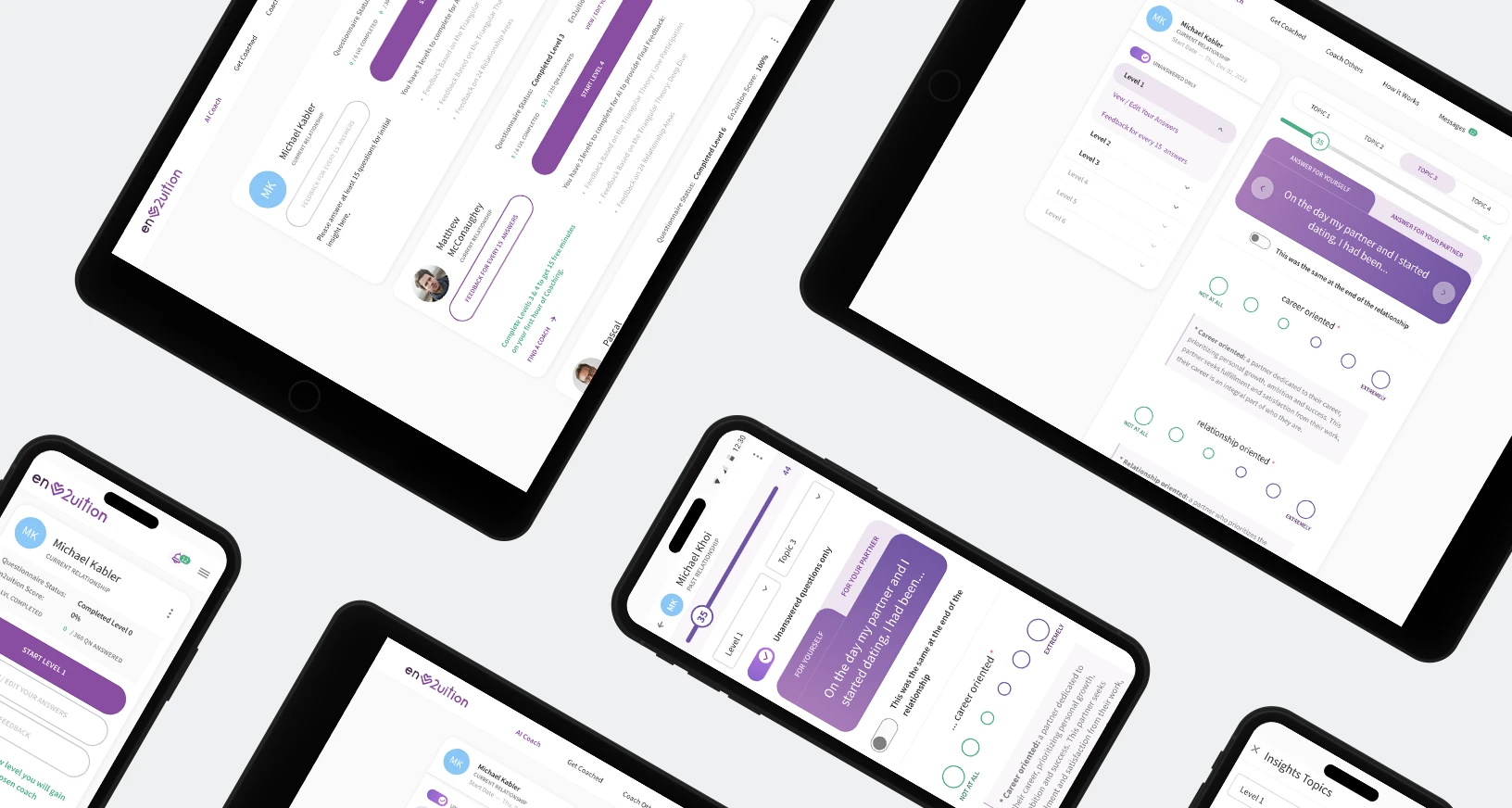
I replaced the chatbot experience with a structured card-based assessment that allowed users to preview questions, track progress, and review responses.
To maintain engagement throughout the 360-question journey, the assessment was divided into six levels with feedback delivered every 15 questions, introducing value long before completion.
This transformed a lengthy assessment into a guided relationship improvement journey.
Journey & MVP Strategy
After defining the assessment structure, I mapped the end-to-end journey from first interaction through relationship analysis, feedback consumption, and coaching adoption.
The goal was to identify moments where users needed reassurance, visible progress, and immediate value to reduce abandonment throughout the 360-question assessment while creating a sustainable path toward retention and monetization.
Working closely with product owners, analysts, and engineers, I facilitated stakeholder workshops and prioritization exercises that reduced the original MVP scope by approximately 40%, focusing on the experiences most critical for validating engagement, completion, and future coaching demand.

MVP Design Execution
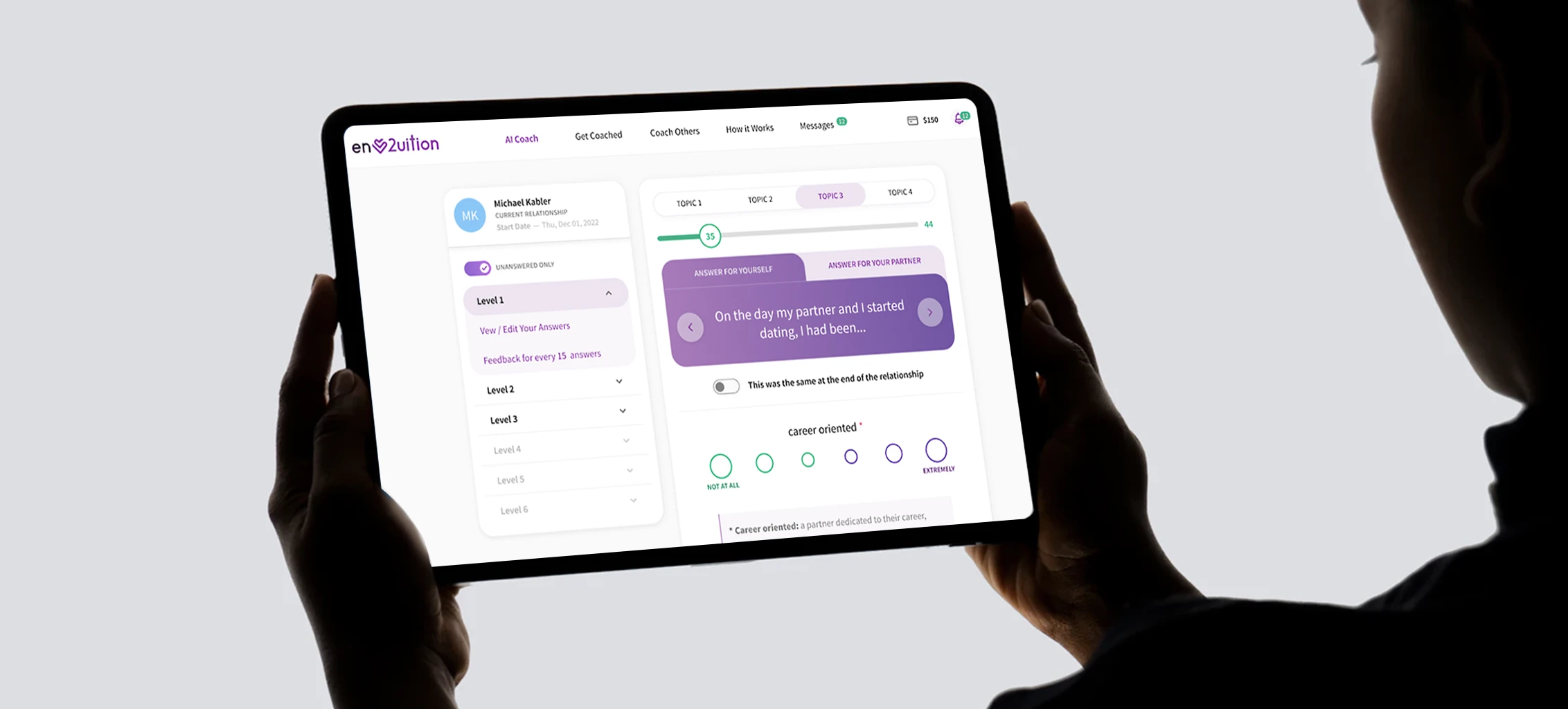
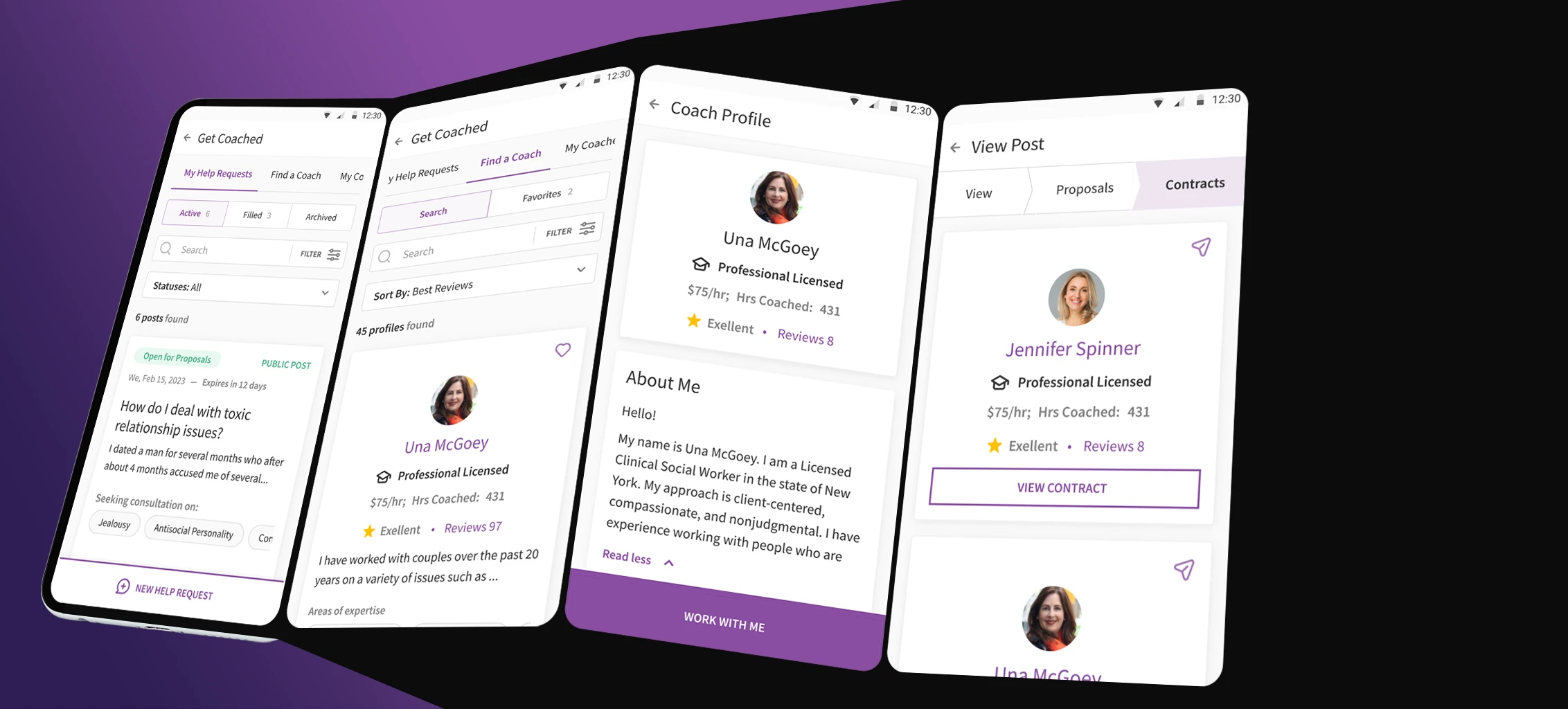
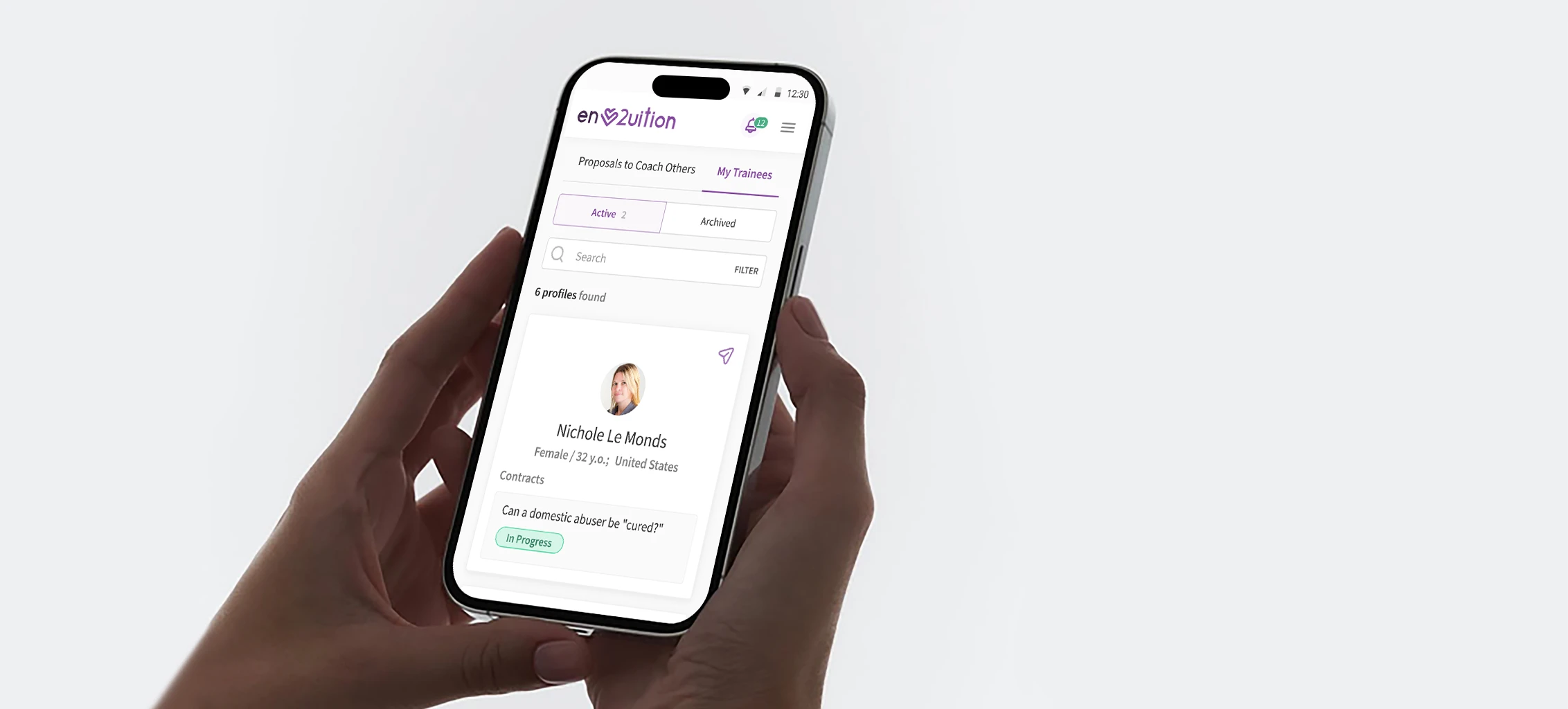
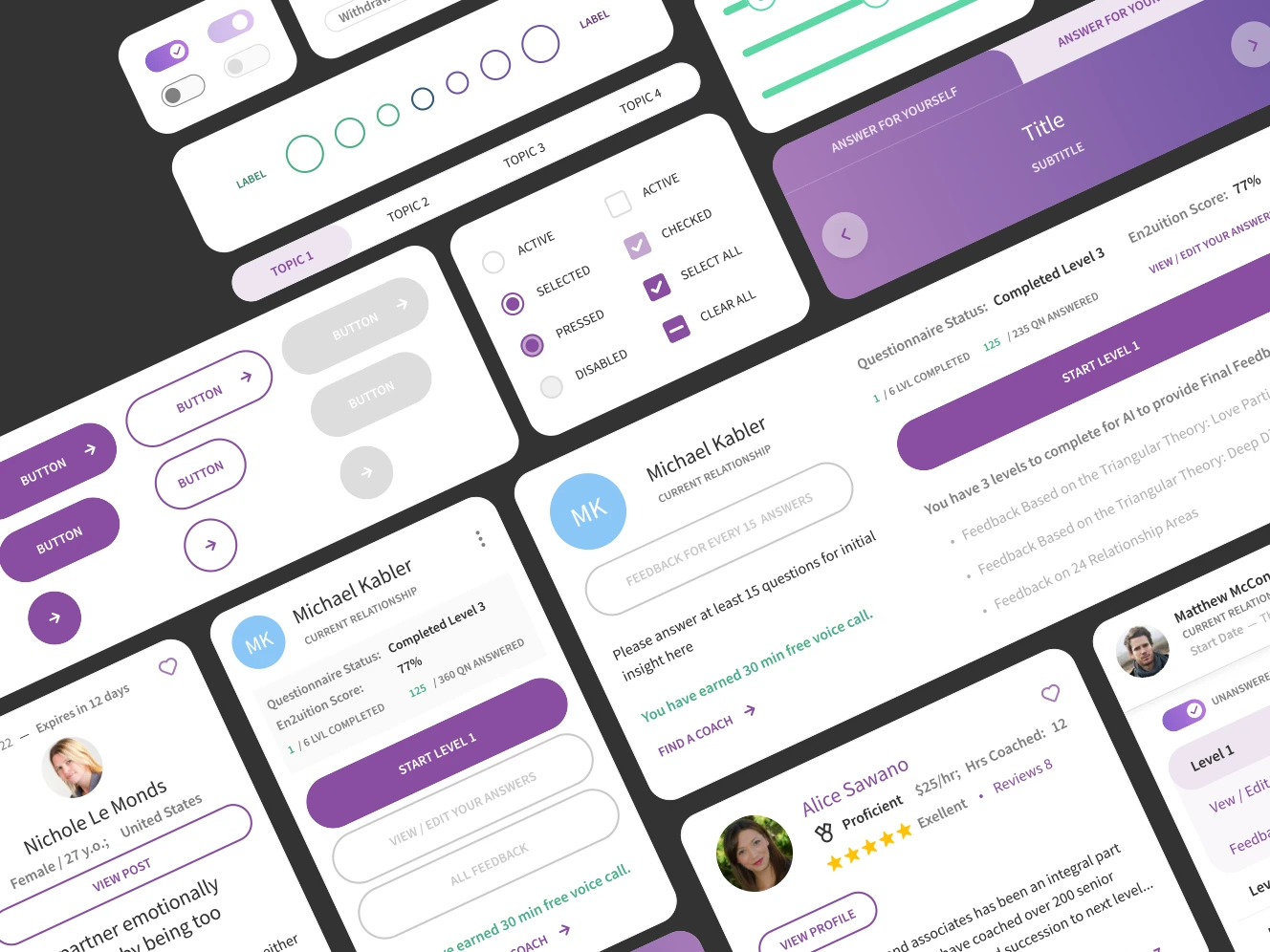
After defining the MVP scope, I designed the core product experiences across mobile and desktop, focusing on clarity, progress visibility, trust, and long-term engagement throughout the assessment journey.
The initial release included relationship onboarding, relationship management, the six-level assessment experience, progressive feedback delivery, and coaching activation pathways.
Throughout delivery, I partnered closely with engineers and stakeholders, supporting developer handoff, alpha and beta testing, and planning future product releases.

Testing & Validation
I facilitated 3 rounds of concept and usability testing with 12 participants across 5 core scenarios, validating assessment structure, feedback timing, engagement drivers, and perceived value.
Validation focus:
User motivation · Engagement · Completion · Retention · Feedback value · Willingness to Pay
Outcome
The final product transformed a complex 360-question psychological assessment into a structured, progressive experience designed around transparency, trust, and early value delivery.
By replacing the chatbot with a card-based assessment, introducing visible progress, and delivering feedback throughout the journey, the team reduced perceived complexity and created a stronger foundation for engagement, retention, and future coaching services.
75% of users said the proposed solution effectively addressed their needs.
Users responded positively to progressive feedback throughout the assessment
Critical usability risks were identified and resolved before development
The platform established a foundation for future coaching and consultation services
Key Takeaway
The core challenge was keeping users engaged through a 360-question assessment while validating long-term retention and monetization.
To address this, I introduced progressive feedback, visible progress, and staged access to deeper insights. By delivering value throughout the journey rather than only at the end, the product reduced perceived effort, encouraged completion, and created natural pathways toward premium analysis and coaching services.
Case studies shaped around trust, decision clarity, and operational scale.